

Coming soon
Automated ordering with inventory prediction
AI suggests what to order from history, seasonality, and reservations. You stay in control.
AI for your kitchen
Replace spreadsheet chaos with a kitchen workflow: upload supplier catalogs, chat your list, approve the email. Built for Swiss restaurant kitchens—not generic inventory suites.

Interactive demo
Sample conversations: ordering, spend insights, and supplier price checks in plain language.
How it works
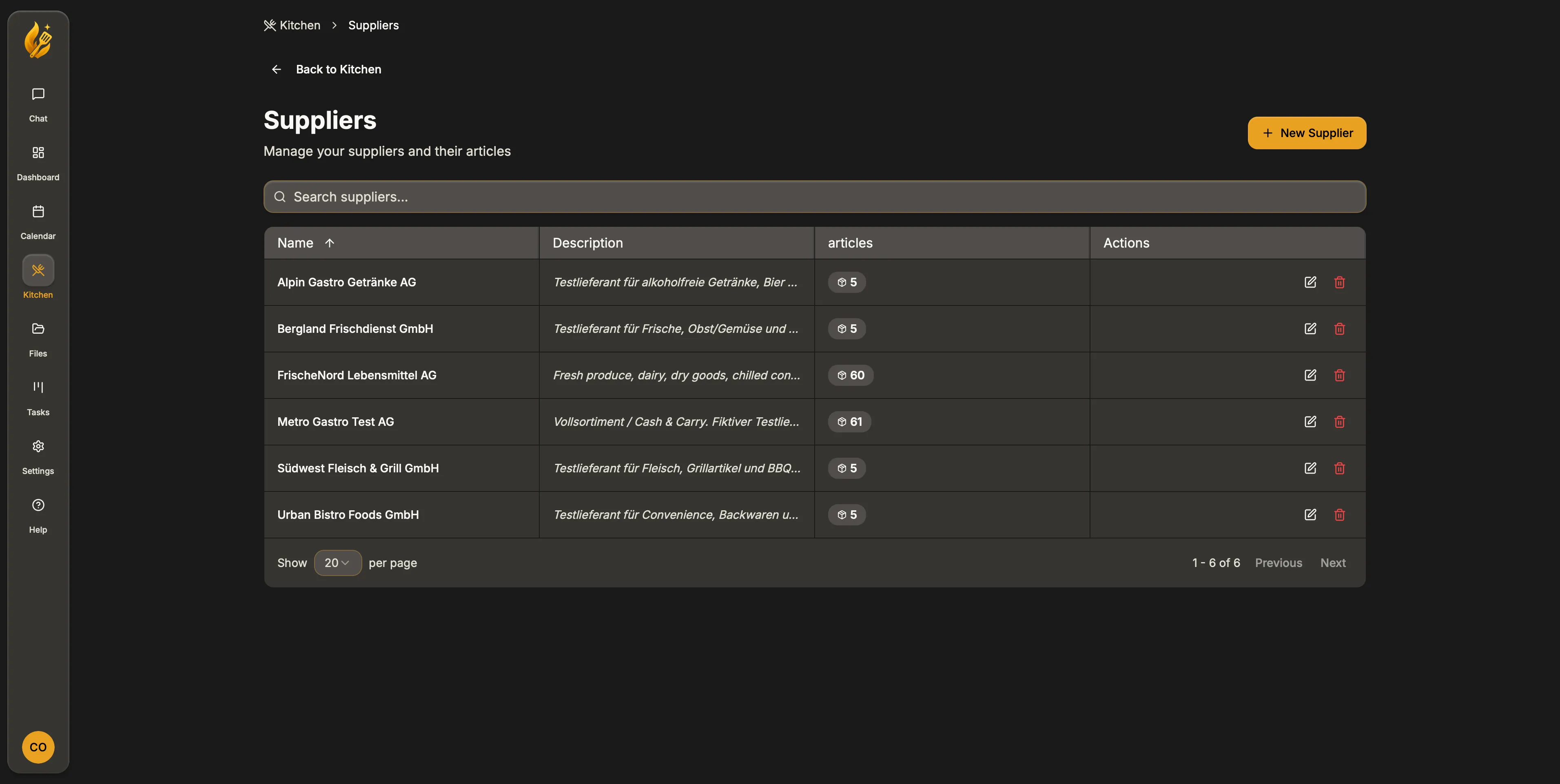
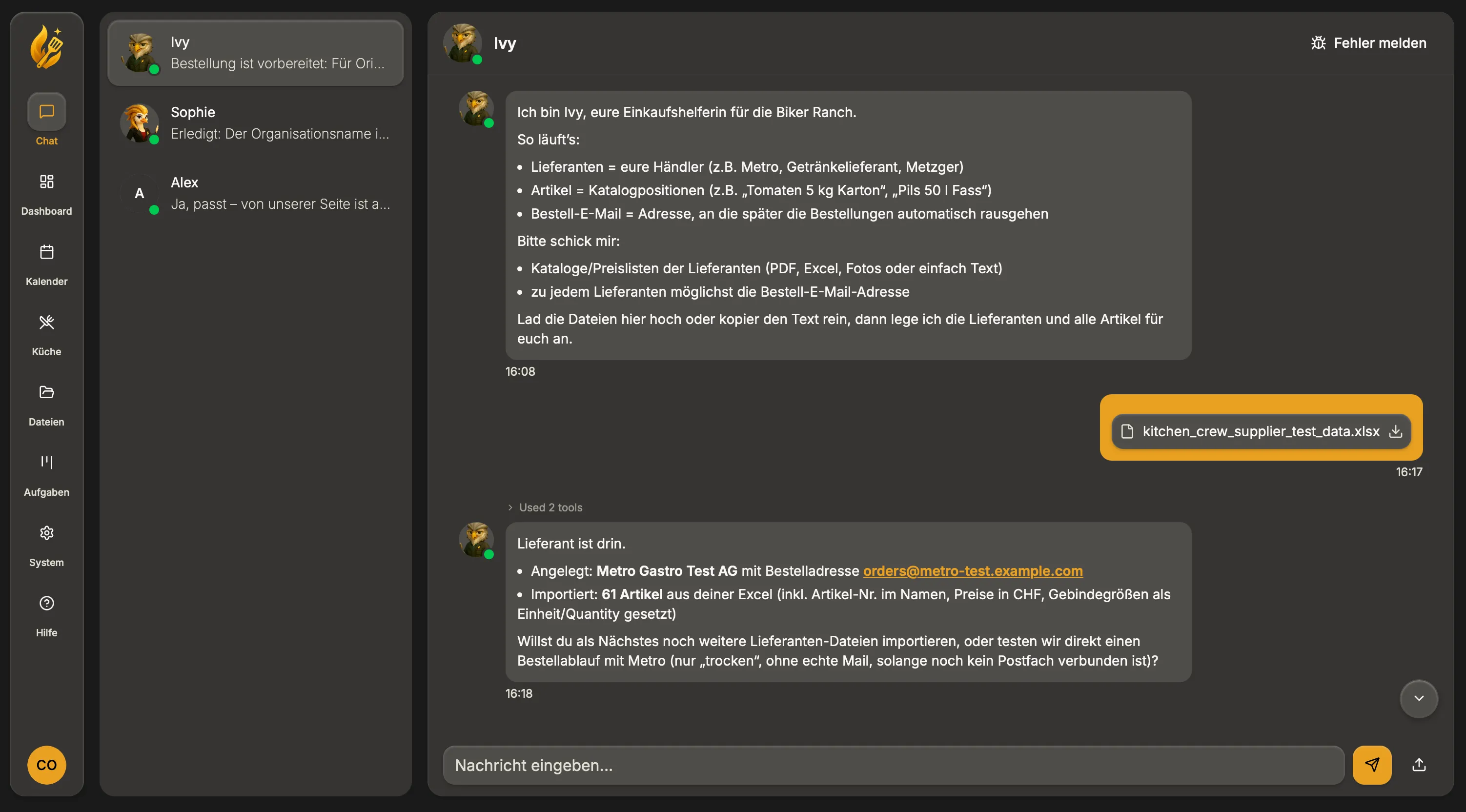
Upload catalogs, connect your inbox, and describe what you need in plain language. KitchenCrew splits it by supplier and drafts the emails.
PDF price lists, a photo of a printed catalog, a screenshot: whatever your suppliers send you. KitchenCrew learns the real products and pack sizes.
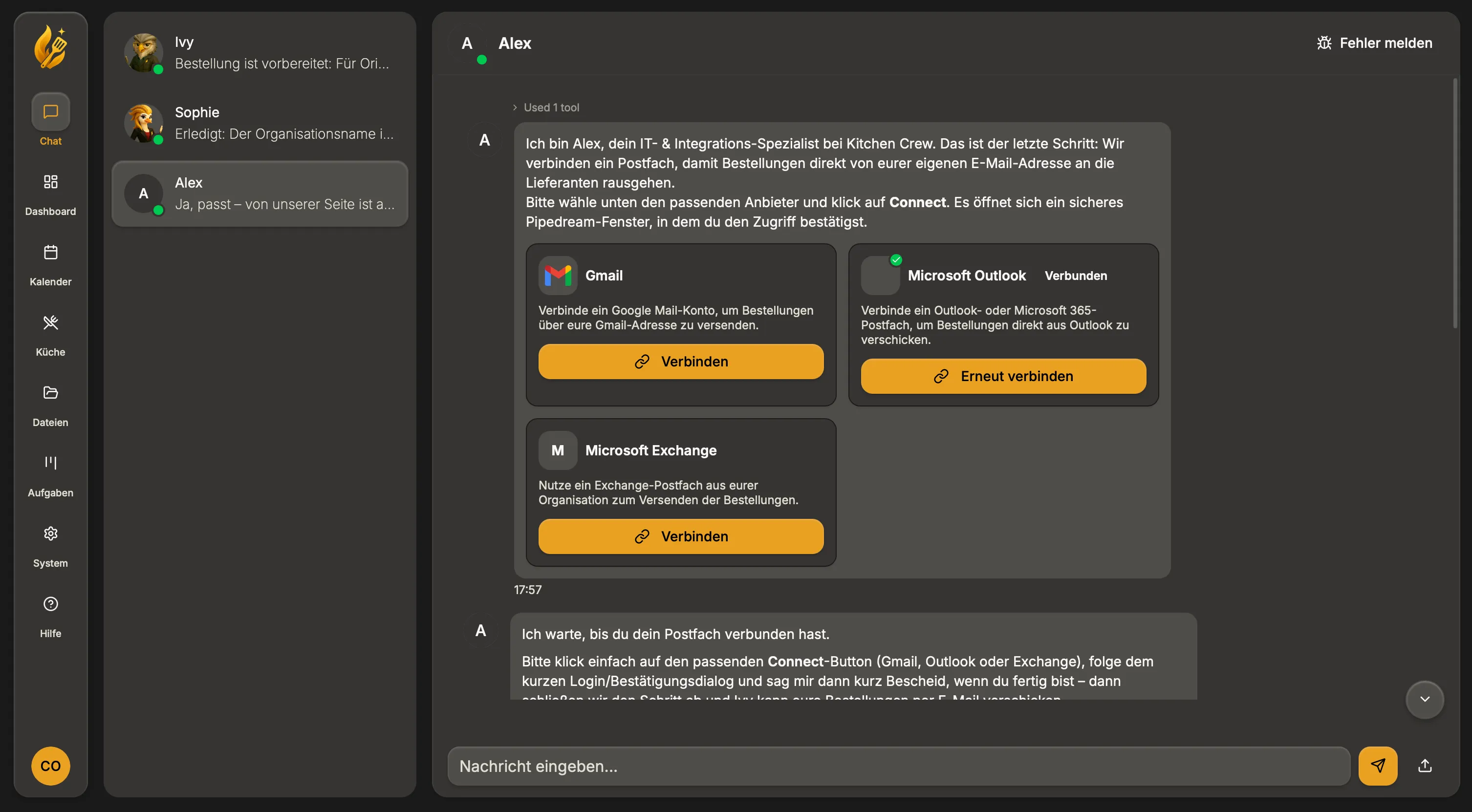
KitchenCrew creates drafts in your actual mailbox. Suppliers see your name, your address. Nothing gets sent without you.
'Please order 50 kg chicken breast, same amount of Rivella as last week, and 10 kg salmon.' KitchenCrew figures out which supplier gets what and writes each email.
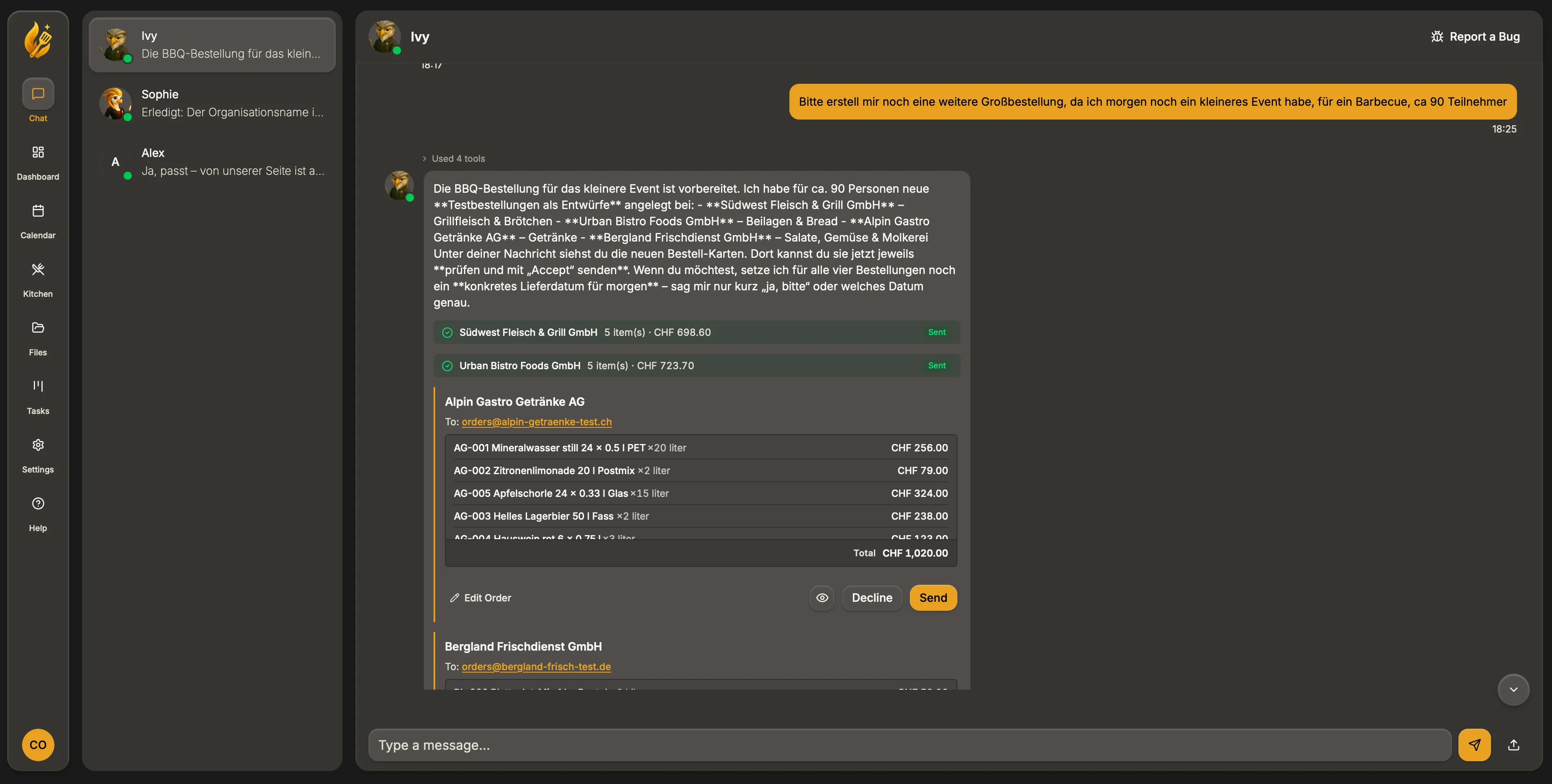
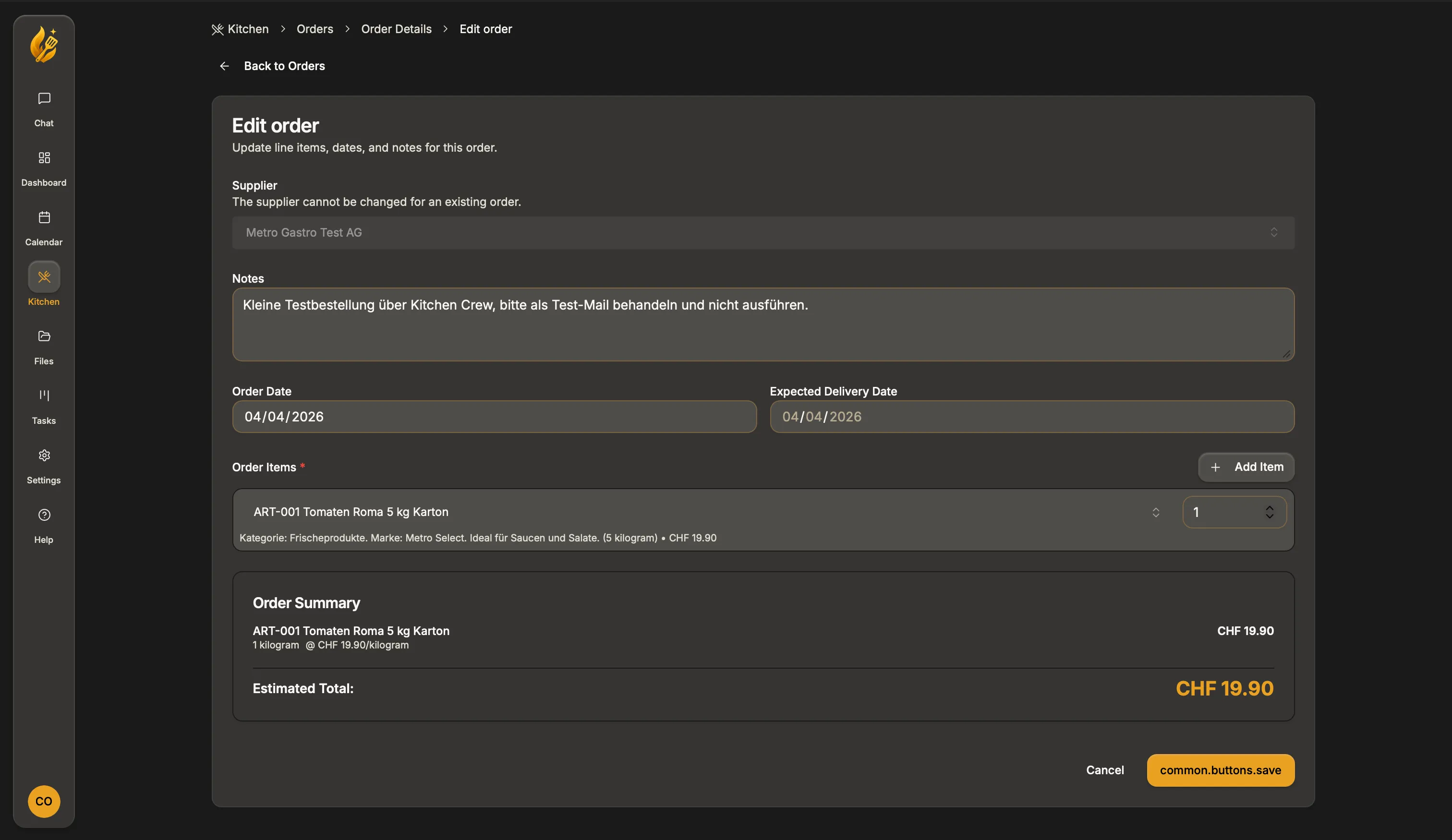
Check the drafts, change a quantity, adjust the wording. Hit send when you're happy. Nothing goes out until you say so.
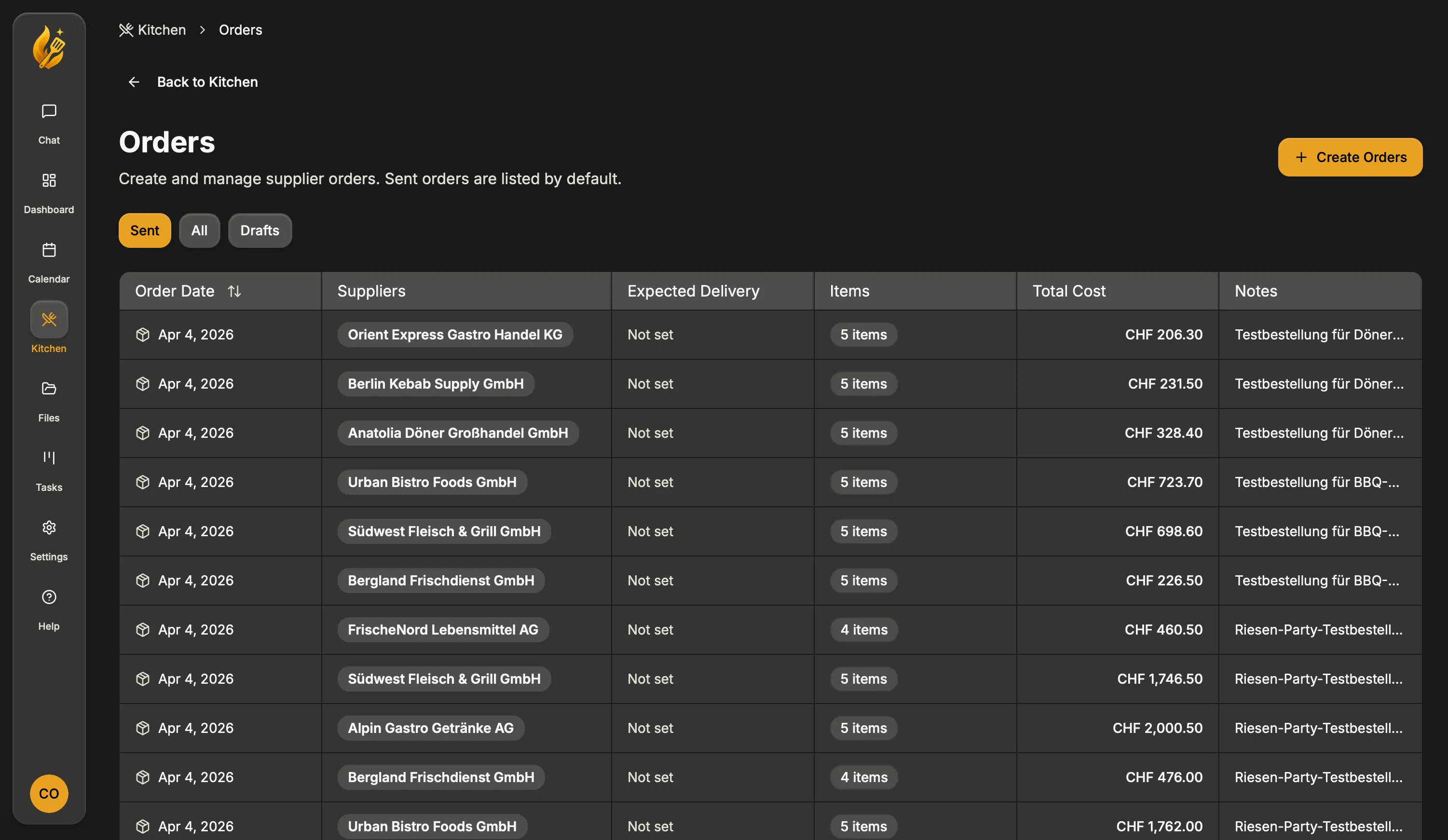
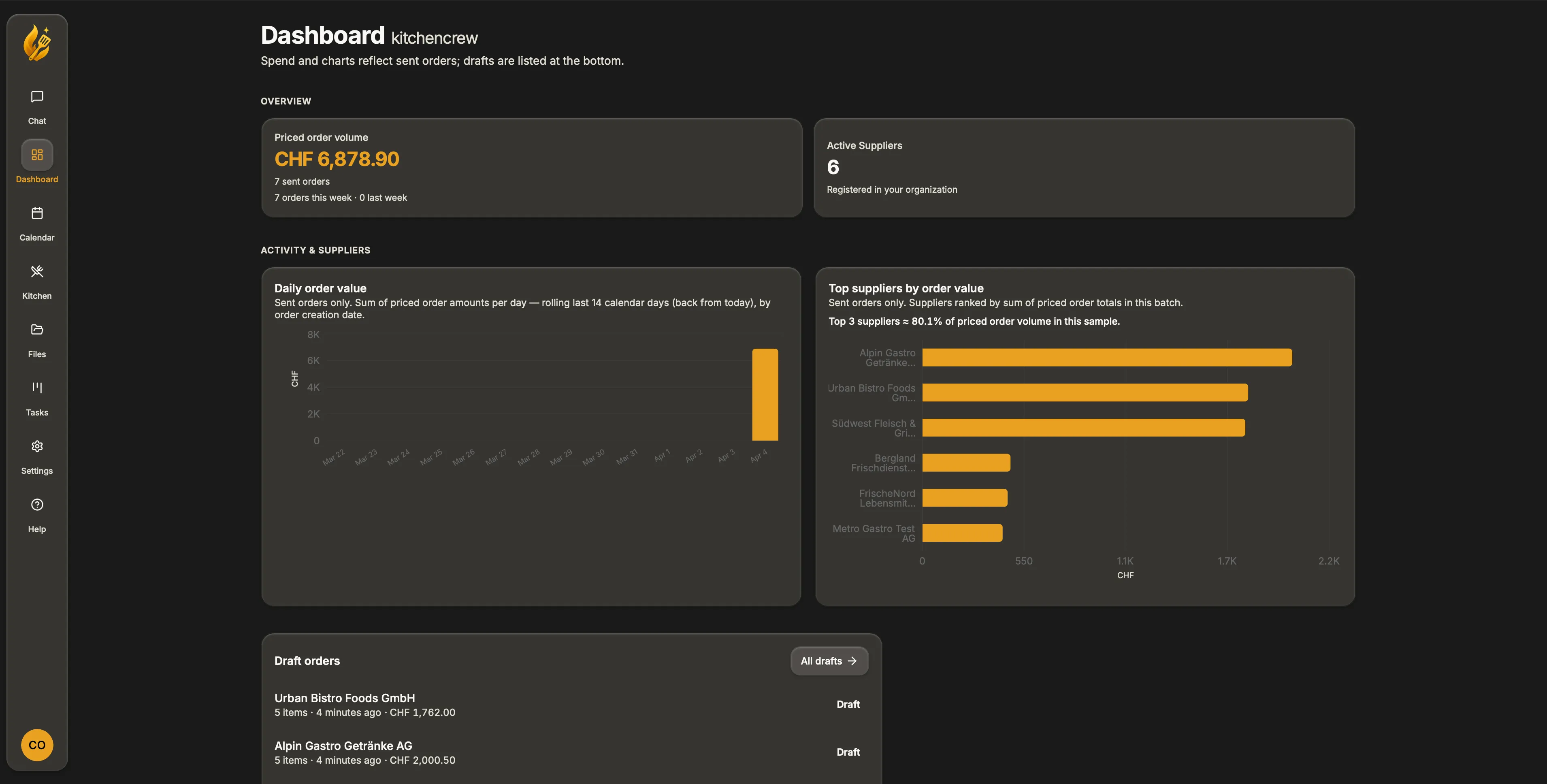
See ordered volume across suppliers and over time. KitchenCrew keeps your sent orders visible so you can spot where money is going.
Before & after
Same suppliers and standards, with less juggling across tabs, spreadsheets, and late-night emails.
Without the crew
With the crew
Every email is a draft until you send it.
Meet your kitchen crew
Built for Swiss restaurants: specialists for front of house, ordering and inventory, and kitchen ops. One crew, one chat.

Guest experience

Ordering & inventory

Kitchen operations
Guest experience
Reservations, guest messages, and the details that keep service smooth in a Swiss service rhythm.
Ordering & inventory
Swiss gastro catalogs (Metro, Transgourmet, Migros Gastronomie, Prodega…), order drafts in your inbox, and answers about what you spend in CHF.
Kitchen operations
Menu ideas, prep thinking, and food-cost support in CHF, aligned with local seasons and your suppliers.
Video walkthrough
Catalog in, inbox hooked up, first order drafts. The setup path you actually click through.
Coming up
We ship often. Here is what we are building next for your kitchen.
AI suggests what to order from history, seasonality, and reservations. You stay in control.
Ideas and structure for menus that fit your cost targets and what's in season.
Compare Swiss wholesalers and trim food cost in CHF without losing the relationships you rely on.
Get full KitchenCrew access free for two months: real service with your real suppliers. After that, pilot restaurants keep a lifetime discount on regular subscription prices. No credit card required to start.
2 months free · Lifetime discount for pilot partners
FAQ
Straight answers about KitchenCrew, your kitchen, and your suppliers.
Book a demo call
Book a slot that works for you. We walk through your suppliers and email setup in a real conversation, not a sales script.
Open our calendar in a new tab to pick a time. You'll receive a calendar invite with meeting details.
Opens Microsoft Bookings in a new browser tab.
Prefer email? Send us a message from the contact page—we typically reply within one to two business days.
Go to contact form