
Book a Restaurant Software Demo: See How Modern Kitchens Run Inventory, Ordering, and Menu Planning
Restaurant technology demos often feel generic: a polished tour of features that doesn’t resemble how kitchens actually work. A useful restaurant software demo should be the opposite. It should mirror your real process—how you track stock, check supplier orders, review costs, and plan menus.
When you book a restaurant software demo with KitchenCrew, the goal isn’t just to show screens. It’s to walk through your operational workflow and show where automation and better visibility can remove friction in daily kitchen management.
Instead of a scripted presentation, the session works more like a practical hospitality software consultation.
What Happens When You Book a Restaurant Software Demo
A productive demo focuses on the four areas that shape most restaurant operations:
- inventory visibility
- supplier ordering
- communication with vendors
- menu decisions tied to stock and costs
The walkthrough follows the same order many kitchens experience during a typical day.
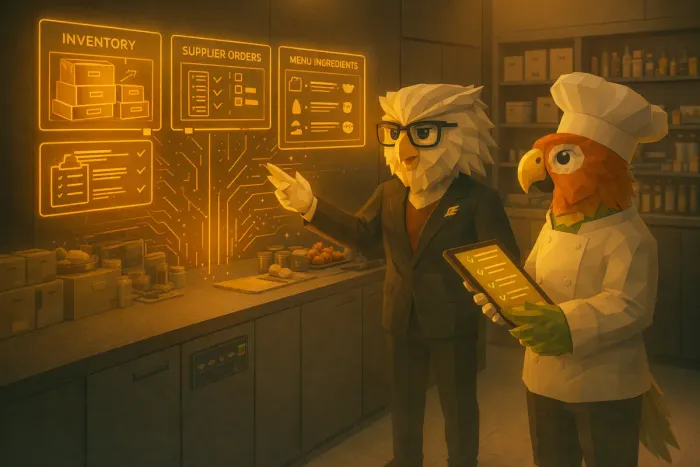
1. Inventory Visibility: Seeing What’s Actually in the Kitchen
Most restaurants track stock across a mixture of spreadsheets, supplier emails, and manual notes. The result is partial visibility. Managers often discover issues only when ingredients run out or costs spike unexpectedly.
During a kitchen inventory demo, we typically review:
- how current stock levels appear across locations
- expiry and waste risks
- ingredient usage patterns tied to menu items
- upcoming shortages based on recent consumption
The aim is simple: replace guesswork with a clear, structured view of what’s in the kitchen right now.
For operators running multiple suppliers or locations, this visibility alone often changes how purchasing decisions are made.
2. Reviewing Orders Before They Go Out
Many restaurants place supplier orders quickly at the end of service or during busy prep windows. That speed is necessary, but it often hides problems such as:
- duplicate orders
- missed items
- price changes from suppliers
- inconsistent quantities week to week
A restaurant ordering automation demo shows how orders can be assembled automatically from stock levels, expected demand, and supplier rules.
Instead of rebuilding orders from memory, the system prepares a draft. The kitchen team simply reviews it.
Typical review steps include:
- checking quantities based on current inventory
- confirming supplier preferences
- adjusting items if demand is changing
- approving the final order
This reduces the time spent assembling orders while keeping full human control.
If you want a deeper look at how ordering automation works in practice, see the related guide: /blog/a-faster-way-to-handle-restaurant-supplier-ordering-and-track-discounts.
3. Generating Supplier Emails Automatically
One overlooked operational task is supplier communication. Restaurants often send dozens of small ordering emails every week.
During the demo, we show how confirmed orders automatically generate structured supplier emails. Each message includes:
- the items ordered
- quantities
- delivery expectations
- relevant notes for the supplier
Instead of manually composing emails, managers simply review and send.
This part of the restaurant operations demo tends to resonate strongly with operators managing multiple vendors, where communication alone can consume hours each week.
4. Menu Support Based on Inventory and Seasonality
Menu planning is usually separated from inventory management, even though they depend on the same data.
KitchenCrew connects these two layers. During the demo, Chef Cook shows how menu suggestions can respond to:
- ingredients already in stock
- items approaching expiry
- seasonal availability
- supplier pricing changes
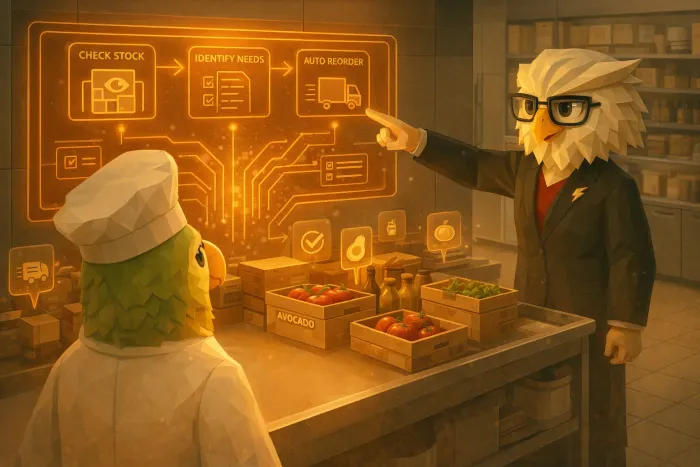
This doesn’t replace chefs’ creativity. Instead, it surfaces useful signals that help teams make smarter decisions faster.
You can explore the menu intelligence side in more detail here: /blog/ai-menu-planning-for-restaurants-how-chefcook-helps-chefs-create-smarter-menus.
Why a Real Workflow Demo Matters
The difference between a typical product demo and a useful hospitality software consultation is context.
Operators don’t need abstract explanations about dashboards. They need to see how the system fits into:
- their ordering routine
- their kitchen prep flow
- their supplier relationships
- their menu planning cycle
A workflow-focused demo answers the practical questions restaurants actually care about:
- How long will daily inventory checks take?
- How do suppliers receive orders?
- What happens if quantities change at the last minute?
- Can chefs still control menu decisions?
Seeing these scenarios step by step removes most of the uncertainty around adopting new kitchen systems.
Who the Demo Is Most Useful For
The session is typically most valuable for:
- restaurant owners reviewing operational efficiency
- chefs responsible for menu planning and ingredient usage
- kitchen managers handling inventory and ordering
- multi-location operators coordinating purchasing across sites
If your team is already thinking about improving stock control, supplier coordination, or cost visibility, a restaurant operations demo usually clarifies what implementation would look like.
Book a Restaurant Software Demo
If you’re evaluating tools to modernize your kitchen operations, the fastest way to understand the impact is to see the workflow in action.
A short session will walk through:
- live inventory visibility
- automated order preparation
- supplier email generation
- menu support linked to real stock data
You can book a restaurant software demo with the KitchenCrew team and explore how the system would fit into your current process.
Instead of imagining how it works, you’ll see how a connected kitchen system actually runs day to day.
Written by
Aurum Avis Labs
Tips and guides for kitchens that would rather cook than write supplier emails.
Related Articles
You might also find these useful
AI Menu Planning for Restaurants: How ChefCook Helps Chefs Create Smarter Menus
Discover how ChefCook assists chefs with creative menu planning using past specials, bestsellers, and AI-powered brainstorming.
A Faster Way to Handle Restaurant Supplier Ordering and Track Discounts
Restaurant owners can save hours each week by simplifying supplier ordering and tracking discounts across vendors in one place.
How Ivy Simplifies Restaurant Supplier Management and Ordering Setup
Ivy automates restaurant supplier management: organized items, drafted supplier emails, less after-hours admin for kitchen teams.