
Do You Need Restaurant Operations Software? 6 Signs Your Kitchen Has Outgrown Manual Systems
Many restaurants reach a point where spreadsheets, notebooks, and scattered supplier emails start creating more friction than flexibility. At first, these manual systems feel manageable. But as operations grow—more dishes, more staff, more suppliers, sometimes more locations—the cracks become visible.
This is where restaurant operations software enters the conversation. Not every kitchen needs it immediately. But certain operational signals make it clear that manual workflows are slowing the business down.
If some of the situations below sound familiar, your kitchen may be ready for a more connected system for inventory, ordering, and daily coordination.
1. Inventory Confusion Is a Daily Problem
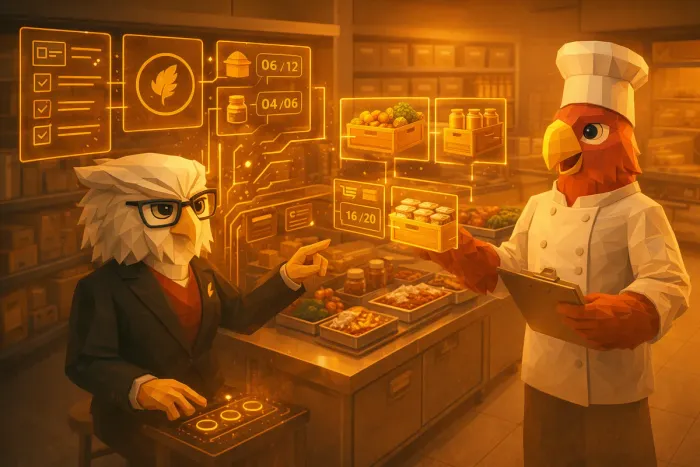
One of the most common warning signs is simple: no one is fully confident about what’s actually in stock.
In many kitchens, inventory tracking happens across multiple places:
- a spreadsheet updated occasionally
- handwritten notes in the kitchen
- mental tracking by senior staff
- supplier invoices stored in email
This fragmented view creates uncertainty. Chefs discover missing ingredients mid-service. Managers reorder items that were already purchased. Expiry dates go unnoticed.
Restaurant inventory automation solves this by creating a single operational source of truth. Stock levels, deliveries, and usage are visible in one place, reducing guesswork and last‑minute surprises.
If inventory questions frequently interrupt prep, ordering, or service, your systems may be due for an upgrade.
2. Food Waste Is a Recurring Frustration
Food waste rarely comes from a single mistake. More often, it’s the result of small disconnects:
- ingredients ordered without clear visibility into existing stock
- perishables expiring before they are used
- menu planning disconnected from available inventory
- inconsistent prep forecasts
Over time, these issues quietly erode margins.
Modern kitchen management software connects inventory tracking with purchasing and menu planning. Instead of treating these processes separately, they work together. Chefs can plan dishes based on what’s already in stock, while managers see patterns in spoilage and over-ordering.
If waste reviews keep pointing to “communication problems” or “tracking issues,” the root cause is often workflow fragmentation.
3. Supplier Ordering Is Manual and Time‑Consuming
Many restaurants still manage supplier orders through a mix of phone calls, emails, and scattered order templates. While this works for small operations, it becomes difficult to maintain as complexity increases.
Common symptoms include:
- repeating the same orders manually each week
- losing track of supplier discounts or price changes
- difficulty comparing supplier performance
- time spent rewriting orders instead of reviewing them
This is where inventory and ordering software can make a measurable difference. Orders can be generated directly from stock levels and historical usage rather than recreated from scratch.
If ordering feels like administrative busywork rather than a controlled process, automation can free up hours each week.
For a deeper look at how supplier coordination can be simplified, see how ordering workflows work in practice in
/ blog / how-ivy-simplifies-restaurant-supplier-management-and-ordering-setup
4. Menu Planning Feels Disconnected from Operations
In many kitchens, menu planning lives in one world while inventory lives in another.
Chefs design menus creatively, but practical constraints appear later:
- an ingredient becomes difficult to source
- the kitchen over-orders specialty items
- certain ingredients sit unused after menu changes
When menus and stock data are linked, planning becomes more strategic. Chefs can see what ingredients are already available, what is seasonal, and what needs to move before expiration.
This type of operational feedback loop is increasingly powered by AI. If you’re exploring how technology supports menu decisions, the article below explores real-world examples:
/ blog / ai-menu-planning-for-restaurants-how-chefcook-helps-chefs-create-smarter-menus
5. Multi‑Location Operations Are Hard to Oversee
For restaurant groups, complexity multiplies quickly.
Each location might have:
- its own spreadsheets
- different supplier relationships
- inconsistent stock tracking
- limited reporting visibility
Without centralized hospitality workflow automation, leadership often struggles to answer simple questions:
- Which location has the highest food cost this month?
- Are suppliers consistent across sites?
- Where is waste increasing?
- Which ingredients are driving cost spikes?
Operations software consolidates this information into a shared system, making it possible to monitor performance across multiple kitchens without micromanaging each one.
If your business is growing beyond a single site, operational visibility becomes critical.
6. Management Lacks Clear Operational Visibility
Perhaps the clearest signal is when leadership relies on intuition rather than reliable operational data.
When systems are disconnected, important metrics become difficult to track:
- ingredient usage trends
- supplier reliability
- cost fluctuations
- waste patterns
- ordering accuracy
Managers spend time collecting information instead of acting on it.
Good restaurant operations software doesn’t just digitize processes—it connects them. Inventory, suppliers, menu decisions, and reporting all feed into the same operational picture.
This shift transforms decision‑making from reactive to proactive.
For restaurants exploring how AI and automation fit into daily kitchen workflows, this overview explains the broader opportunity:
/ blog / ai-for-small-restaurants-practical-ways-to-benefit-from-the-ai-revolution
What the Right System Should Actually Solve
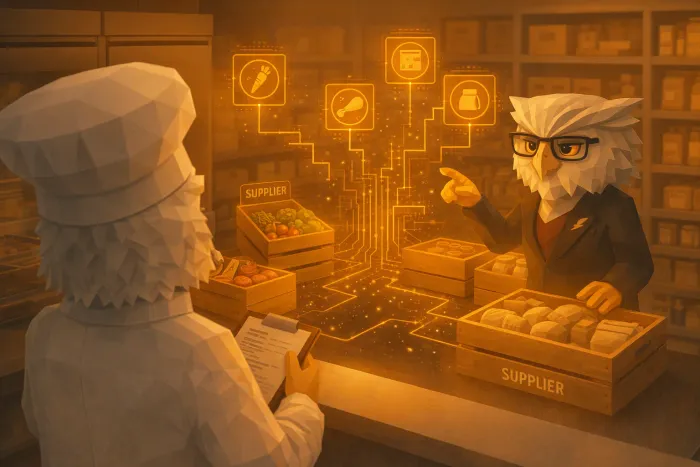
Not every software platform addresses the real problems kitchens face. The goal isn’t simply “digitizing” operations.
The right system should help restaurants:
- track inventory and expiry dates automatically
- generate supplier orders based on stock and usage
- connect menu planning with ingredient availability
- reduce food waste through better forecasting
- provide clear operational dashboards for management
When these elements work together, kitchens regain control over their workflows.
A Simple Way to Know If You’re Ready
If your restaurant currently relies on spreadsheets, manual ordering, and fragmented communication between kitchen and management, you’re not alone. These systems are common—and they work up to a point.
But once stock confusion, waste, ordering complexity, and visibility issues start appearing regularly, it usually means the operation has outgrown manual processes.
At that stage, restaurant operations software isn’t about adopting technology for its own sake. It’s about giving the kitchen a clear, connected operational system that supports smarter decisions every day.
Written by
Kitchen Crew
Tips and guides for kitchens that would rather cook than write supplier emails.
Related Articles
You might also find these useful
AI for Small Restaurants: Practical Wins
AI for small restaurants without enterprise suites: ordering drafts, inventory workflow, menu ideas. Practical steps—and where KitchenCrew fits for Swiss teams.

How Ivy Simplifies Restaurant Supplier Management and Ordering Setup
Ivy automates restaurant supplier management: organized items, drafted supplier emails, less after-hours admin for kitchen teams.