
Why Restaurant Workflow Software Matters: Connecting Inventory, Ordering, and Menu Planning
Running a restaurant means juggling inventory counts, supplier orders, and menu decisions at the same time. In many kitchens, these processes still live in separate tools or spreadsheets. Inventory is tracked in one place, purchasing happens somewhere else, and menu planning is often done independently.
This fragmentation creates unnecessary work and blind spots. Restaurant workflow software solves this problem by connecting these processes into one system. Instead of managing inventory, ordering, and menu planning separately, a connected platform links them together so each action informs the next.
KitchenCrew was designed around this principle: integrated restaurant operations that allow the kitchen to function as one coordinated workflow rather than a set of disconnected tasks.
Restaurant Workflow Software Connects the Core Kitchen Processes
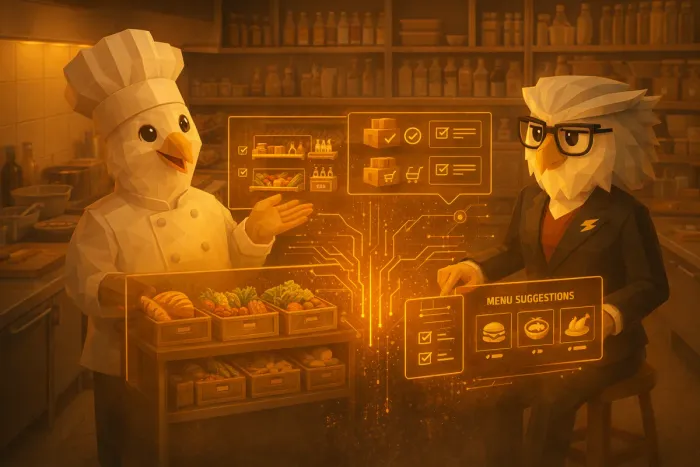
At the center of any kitchen operation are three tightly related activities:
• Tracking what ingredients are in stock
• Ordering what will be needed next
• Planning menus based on availability and cost
Traditional systems treat these as separate responsibilities. But in reality, they constantly affect each other.
For example:
- Inventory determines what dishes can be prepared.
- Menu choices determine what ingredients must be ordered.
- Supplier ordering affects future stock levels and costs.
Restaurant workflow software connects these relationships automatically. When the systems share data, the kitchen can make faster and better decisions without repeating the same work across multiple tools.
KitchenCrew links these processes through a single hospitality management platform where inventory, purchasing, and menu planning operate on the same data foundation.
Inventory Tracking as the Operational Foundation
Everything begins with accurate inventory visibility.
When stock levels are tracked consistently, the kitchen gains a real understanding of:
- ingredient availability
- consumption patterns
- expiry risk
- purchasing needs
In many restaurants, inventory lives in spreadsheets or handwritten logs that are updated infrequently. That makes it difficult to trust the numbers or act on them.
Connected kitchen software approaches this differently. Inventory becomes a live operational dataset rather than a static record.
As ingredients are used, received, or updated, the system reflects those changes immediately. This visibility creates the foundation for the rest of the workflow.
For example, if tomatoes drop below a threshold or a batch of seafood is approaching expiry, the system already knows before the next ordering or menu decision happens.
Automated Order Preparation From Inventory Data
Once inventory data is reliable, the next step is supplier ordering.
In a disconnected setup, chefs often review stock manually, estimate needs, and then create supplier orders from scratch. This process is time-consuming and prone to over-ordering or missed items.
Restaurant workflow software simplifies this by preparing orders based on real inventory levels and historical usage.
Instead of starting with a blank order sheet, the system can suggest what should be replenished based on:
- current stock levels
- recent consumption trends
- upcoming menu requirements
- supplier packaging sizes
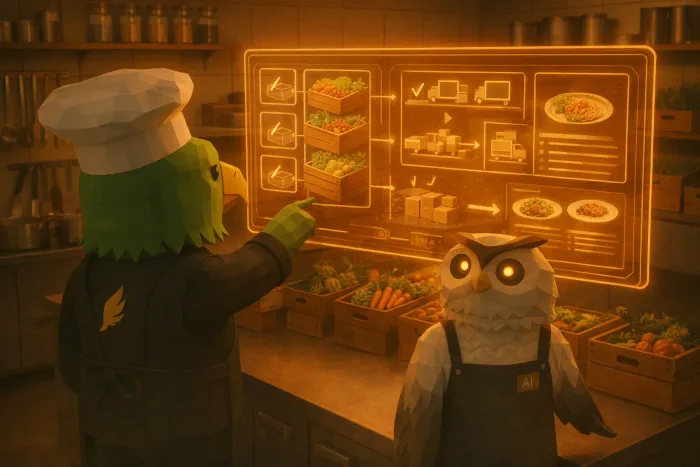
This doesn’t remove control from the kitchen team. It simply removes repetitive manual steps.
The chef or manager reviews a prepared order, adjusts quantities if needed, and sends it to suppliers. Ordering becomes faster and more consistent, especially for multi-location operations.
If you want to see how this works in practice, the ordering process is explained further in this related article:
A Faster Way to Handle Restaurant Supplier Ordering and Track Discounts.
Menu Planning That Reflects Real Kitchen Conditions
Menu planning is often treated as a creative process separate from operations. But in practice, menu decisions are deeply tied to inventory and purchasing.
When menus are planned without real stock visibility, restaurants risk:
- running out of key ingredients
- over-ordering specialty items
- wasting products that could have been used in dishes
Integrated restaurant operations change this dynamic.
Because KitchenCrew connects menu planning with inventory data, the system can help chefs see opportunities directly inside the workflow. For example:
- suggesting dishes that use ingredients nearing expiry
- highlighting ingredients already in stock
- identifying seasonal or cost-efficient combinations
This allows chefs to remain creative while staying aligned with operational realities.
A deeper look at AI-supported menu planning can be found here:
AI Menu Planning for Restaurants.
Why Integrated Restaurant Operations Reduce Daily Friction
When inventory, ordering, and menu planning operate independently, teams spend time reconciling information instead of acting on it.
Common symptoms include:
- repeated manual data entry
- inconsistent inventory records
- ordering decisions based on guesswork
- missed opportunities to use existing ingredients
Connected kitchen software removes these frictions by allowing the workflow to move naturally from one step to the next.
Inventory updates feed purchasing suggestions.
Purchasing feeds stock availability.
Stock availability informs menu planning.
Each process supports the others instead of operating in isolation.
What This Looks Like in a Real Kitchen
In practice, the system becomes a shared operational dashboard.
A chef reviewing menu ideas can immediately see available ingredients.
A manager preparing supplier orders can see real consumption data.
Inventory updates automatically inform both processes.
Instead of multiple spreadsheets, messages, and manual checks, the kitchen works from a single coordinated source of truth.
For restaurant owners evaluating technology vendors, this architectural difference matters. Many tools solve one operational problem, but the real efficiency gains come from linking them together.
The Takeaway
Restaurant operations are inherently connected. Inventory affects purchasing, purchasing affects stock, and stock influences what can appear on the menu.
Restaurant workflow software recognizes this relationship and builds systems around it.
By connecting inventory tracking, automated order preparation, and menu planning into one hospitality management platform, kitchens can move from fragmented workflows to integrated restaurant operations.
The result is not just less administrative work, but better decisions made with the full operational picture in view.
Written by
Kitchen Crew
Tips and guides for kitchens that would rather cook than write supplier emails.
Related Articles
You might also find these useful

AI Menu Planning for Restaurants: How ChefCook Helps Chefs Create Smarter Menus
Discover how ChefCook assists chefs with creative menu planning using past specials, bestsellers, and AI-powered brainstorming.
A Faster Way to Handle Restaurant Supplier Ordering and Track Discounts
Restaurant owners can save hours each week by simplifying supplier ordering and tracking discounts across vendors in one place.